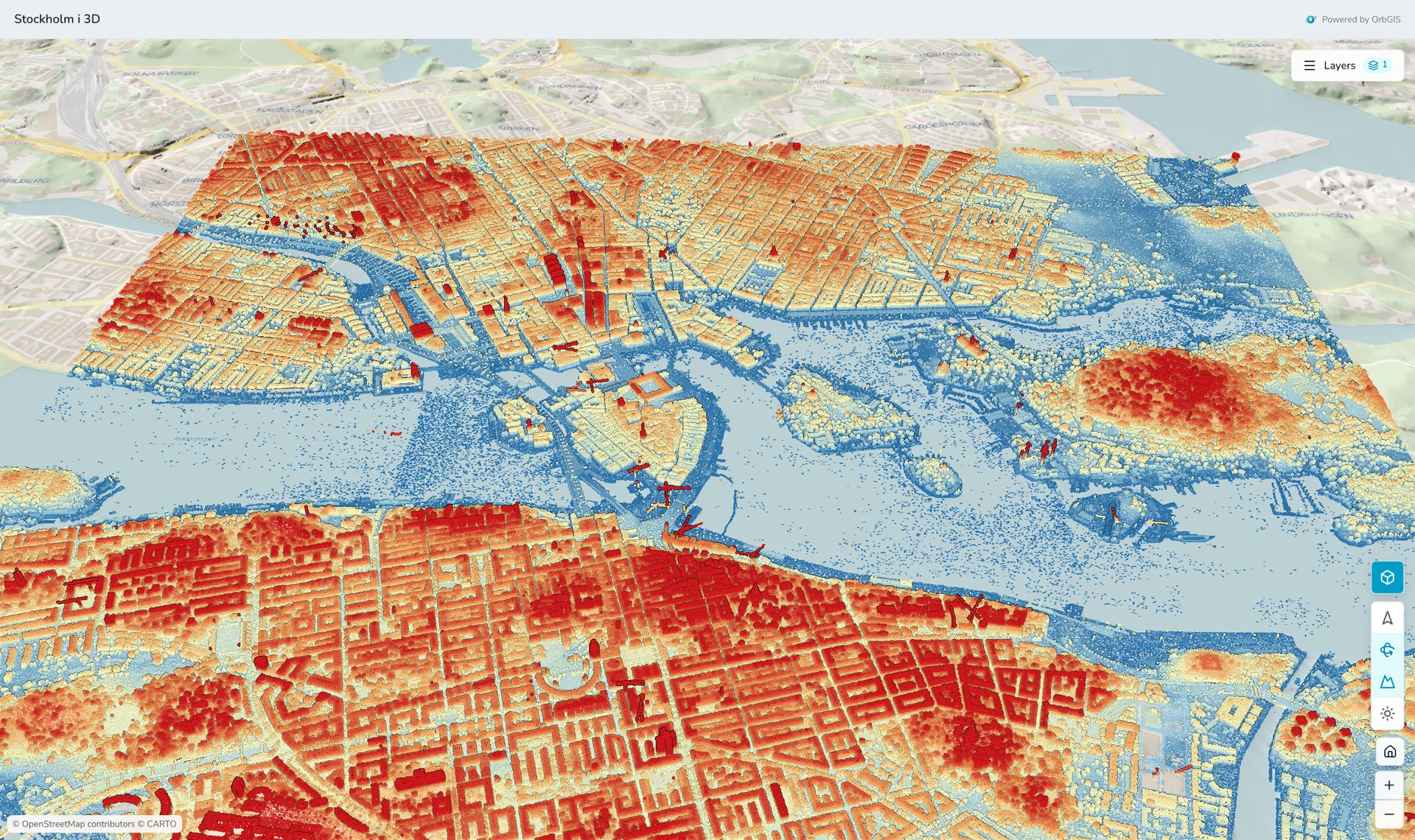
A published map in 3D, 56 million laser points standing on real terrain
Switch any web map to 3D with one click. The layers you already styled lie on real terrain, buildings rise to their true height, laser point clouds and 3D city models stream in, and a sun and shadow study shows where the shadows fall on any day of the year.
A published map in 3D, 56 million laser points standing on real terrain
Every web map in OrbGIS has a 2D/3D switch in the viewer's tool column. Press it and the same map opens on a globe with real terrain: your layers keep their symbology, filters, labels and pop-ups, the basemap drapes over the hills and valleys, and you tilt and turn the view with Shift + drag. Nothing is set up twice and nothing is copied, the 3D view reads the map you already built. Elevation models for all of Sweden and Finland are built in, with finer detail over the larger cities.
Three kinds of content add the third dimension. Any polygon layer with a height or a floor count, building footprints say, can be raised into blocks that stand on the ground in the layer's own colours. LAS/LAZ laser scans become point clouds you colour by class, height or intensity. CityGML and CityJSON city models become real buildings with their roof shapes, coloured by surface or attribute. All three are uploaded like any other file, processed on OrbGIS's own servers and streamed to the browser piece by piece, so a scan of 56 million points opens in seconds.
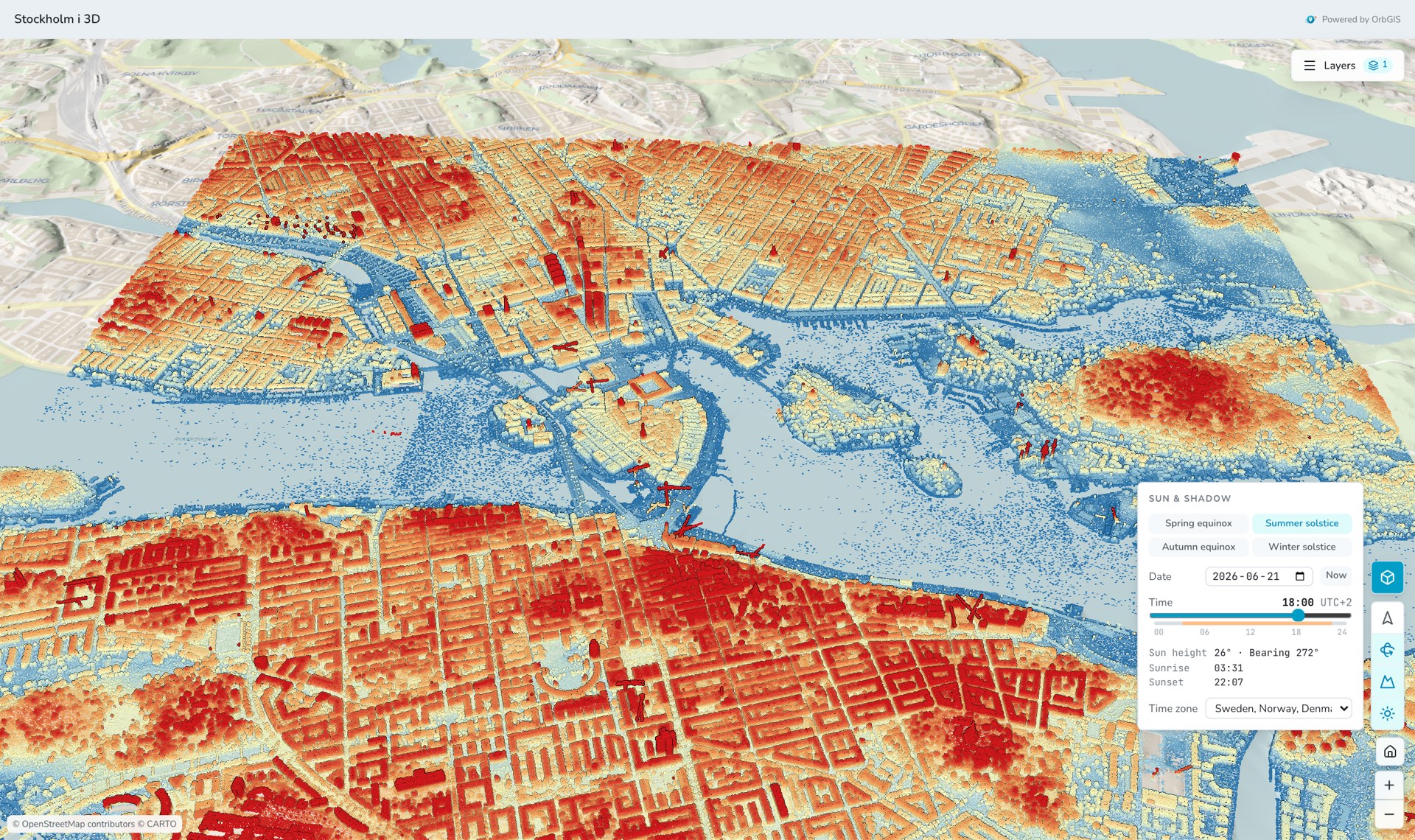
The sun and shadow study turns the 3D view into a planning tool: pick a date and a time, or jump to a solstice or an equinox, and the buildings cast their shadows on the terrain exactly where the sun would put them. Published maps keep the 3D view, so visitors can tilt, explore and study the light without signing in. See it in the Stockholm i 3D demo, Lantmäteriet's laser scan of the inner city on real terrain.
The 2D/3D switch sits in the map viewer and on every published map page. Your symbology, filters, labels and pop-ups come along unchanged, and when you go back to 2D the map lands where the globe was looking.
Elevation models from Lantmäteriet and the National Land Survey of Finland cover both countries, with finer detail over the larger cities, shaded like a hillshade so ridges and valleys read at a glance. Point clouds and city models stand on it at their true height in RH 2000 or N2000.
Give a polygon layer a 3D height in the Styles panel, metres from a height field or a floor count, with an optional base height, and it rises into blocks on the terrain. Colours, filters and pop-ups are the layer's own, so a map of energy classes becomes a city of coloured blocks.
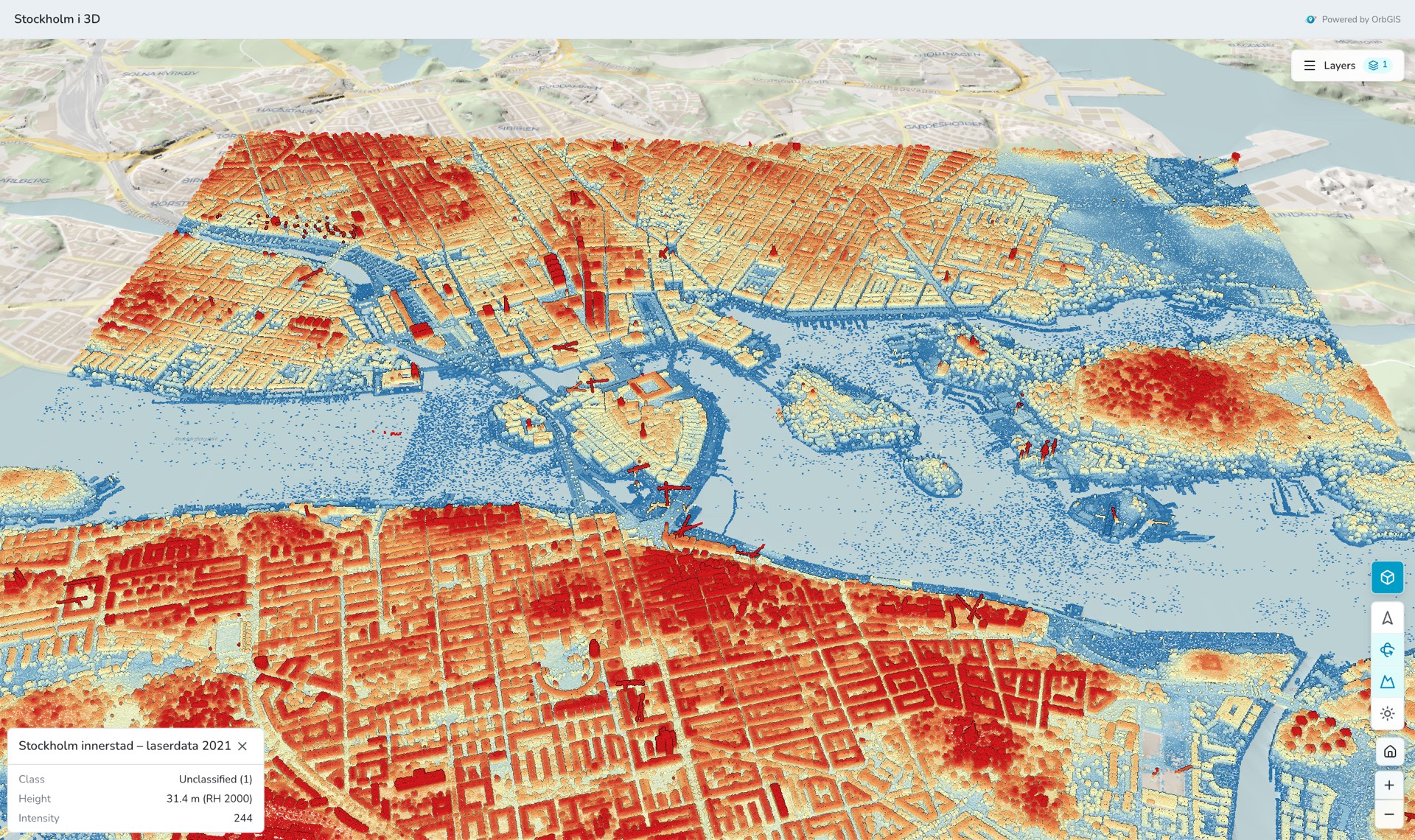
Upload one or many LAS/LAZ files and they become one point cloud. Colour it by class, height, intensity or true colour, hide the classes you don't need, set the height range and point size, and click any point to read its class and height above sea level.
Upload a CityGML or CityJSON model, 3CIM included, and every building appears with its real roof shape. Colour by roofs and walls, by one colour or by an attribute such as the year built, and click a building to read its attributes. City models show for signed-in members today; published maps follow.
Pick a date and a time, or jump straight to the summer solstice or the spring equinox, and the sun moves to where it really stands. Sun height, bearing, sunrise and sunset are shown for the view, and buildings cast their shadows on the ground, ready for a planning consultation or a solar check.
No third-party 3D cloud. Terrain, point clouds and city models are processed and served by OrbGIS in the EU, under the same access rules as everything else: private stays private, published is public, and unpublishing takes it down.
Switch a web map to 3D, raise its buildings from a height field, add laser data and run a sun and shadow study, then publish it so visitors get the same view.
→Every web map has a 3D view: real terrain, your layers draped on it, buildings raised from a height field, laser point clouds, 3D city models and a sun and shadow study. Published maps keep the view.
→The map viewer is the heart of OrbGIS: style, filter, label and share vector layers in the browser, in the coordinate system you actually work in.
→Drop a file, get a layer. Uploads run in the background through a real ingest pipeline, reprojection, indexing, tiling and automatic overviews for large datasets.
→Two independent switches govern who sees what: Ownership (Private or Organization) inside your org, and Publishing for the open web, for maps, apps and sites, with a clear exposure check.
→
No demo call. No sales funnel. Sign up to make your first map.